Reminders
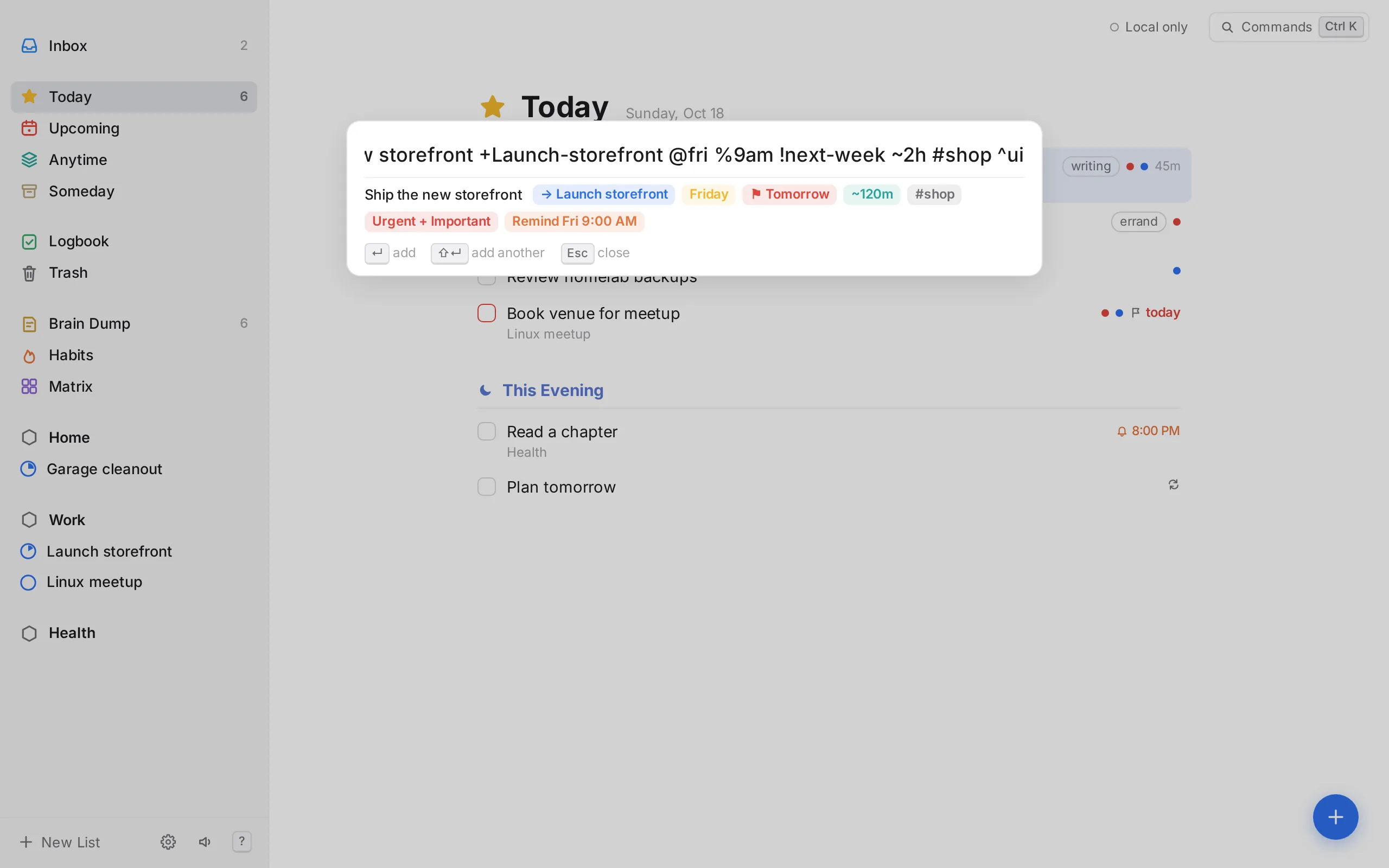
Notifications with a chime at the time you pick: %6pm, %in30m, or from the picker.
Open source · Self-hosted · Local-first
OpenThings is a task manager that runs on your own server. Plan the day, capture ideas in seconds, focus on one thing at a time, and keep the habits that matter, without an account or a subscription.
Free and MIT licensed. The demo keeps everything in your browser. Also on iPhone and as a Mac and Linux app.


Plan
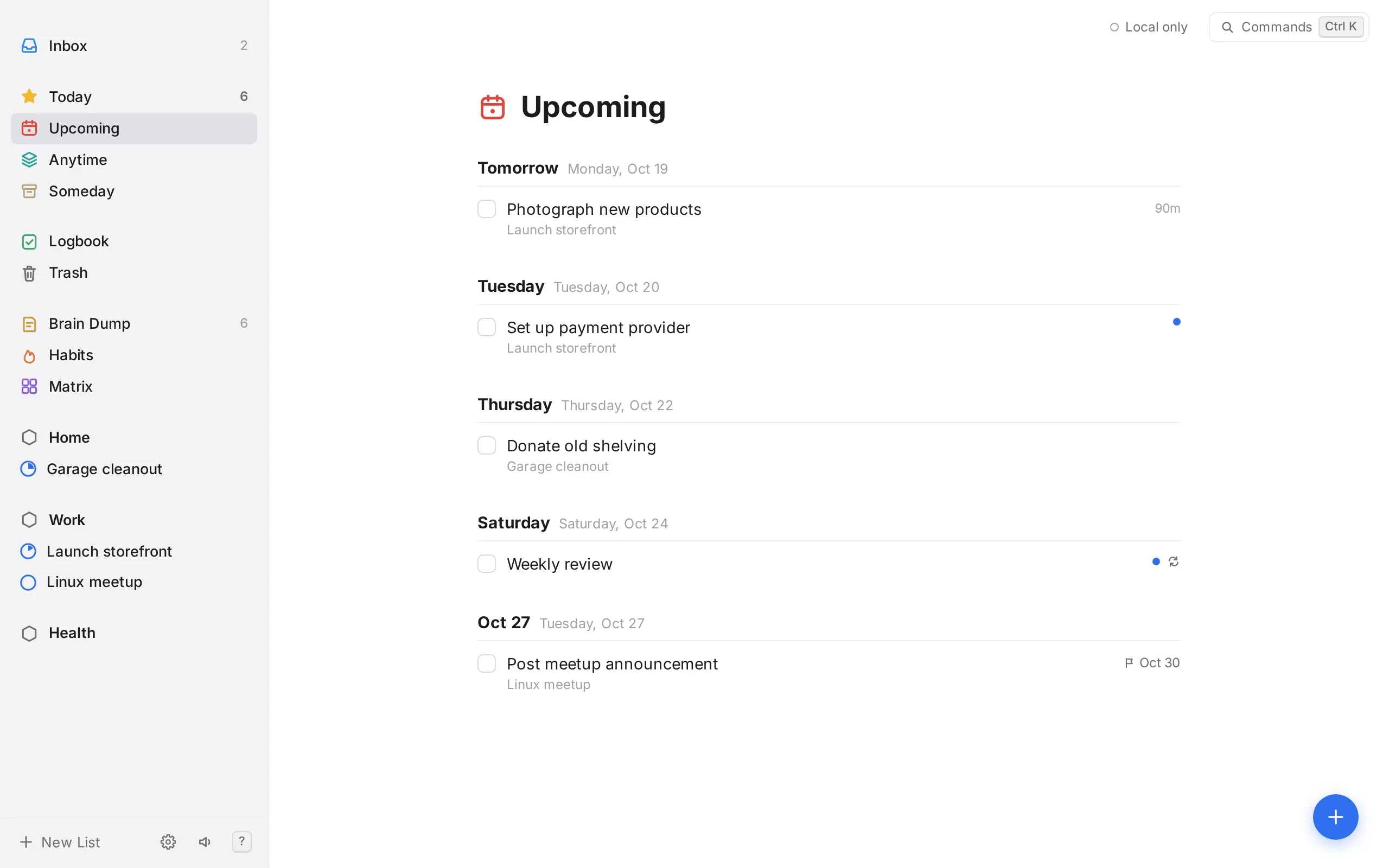
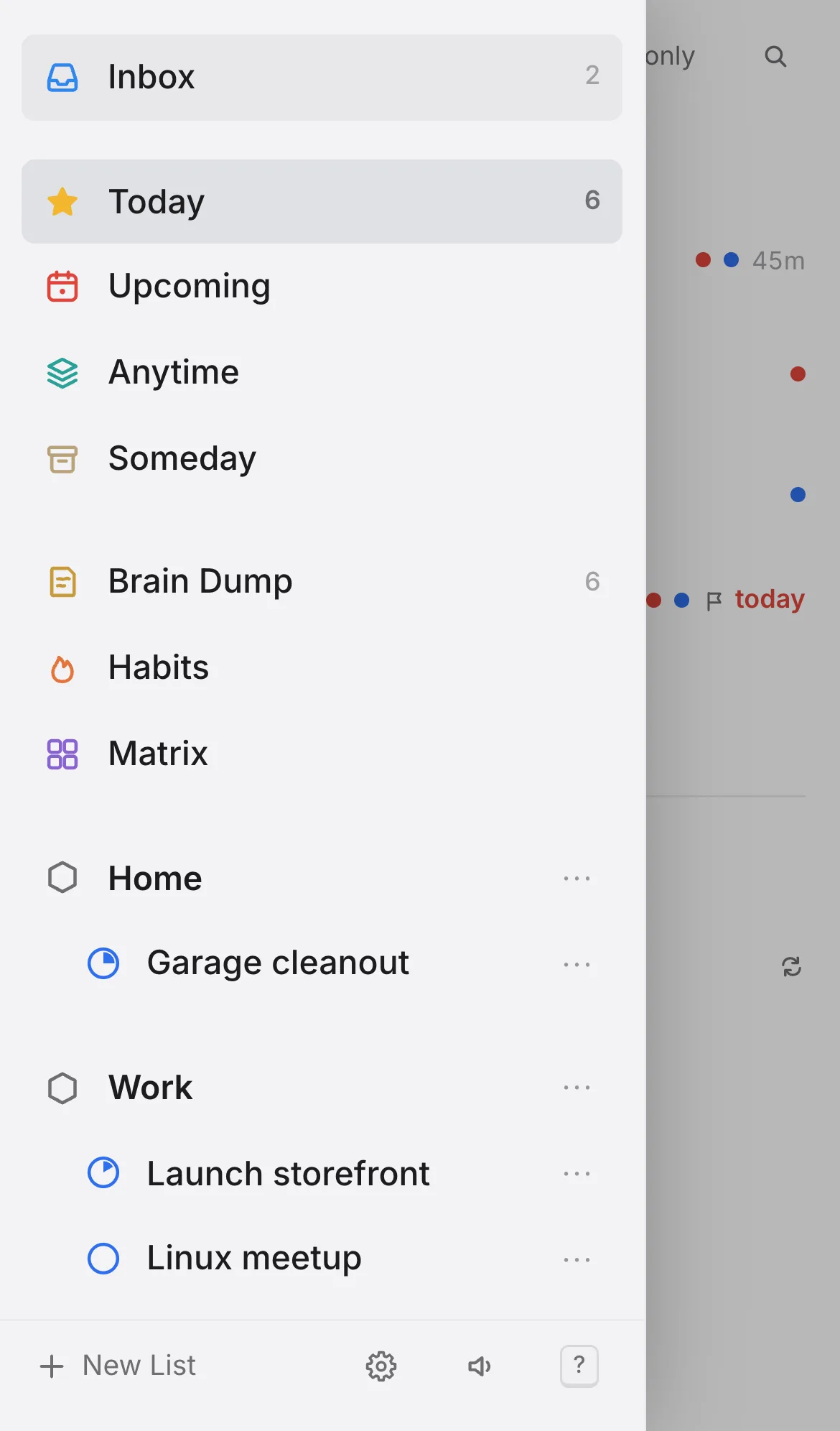
Today holds what you've chosen to do now, with a quiet This Evening section for later. Upcoming lays out the weeks ahead, and Anytime and Someday keep the rest out of sight until you want it.
Capture
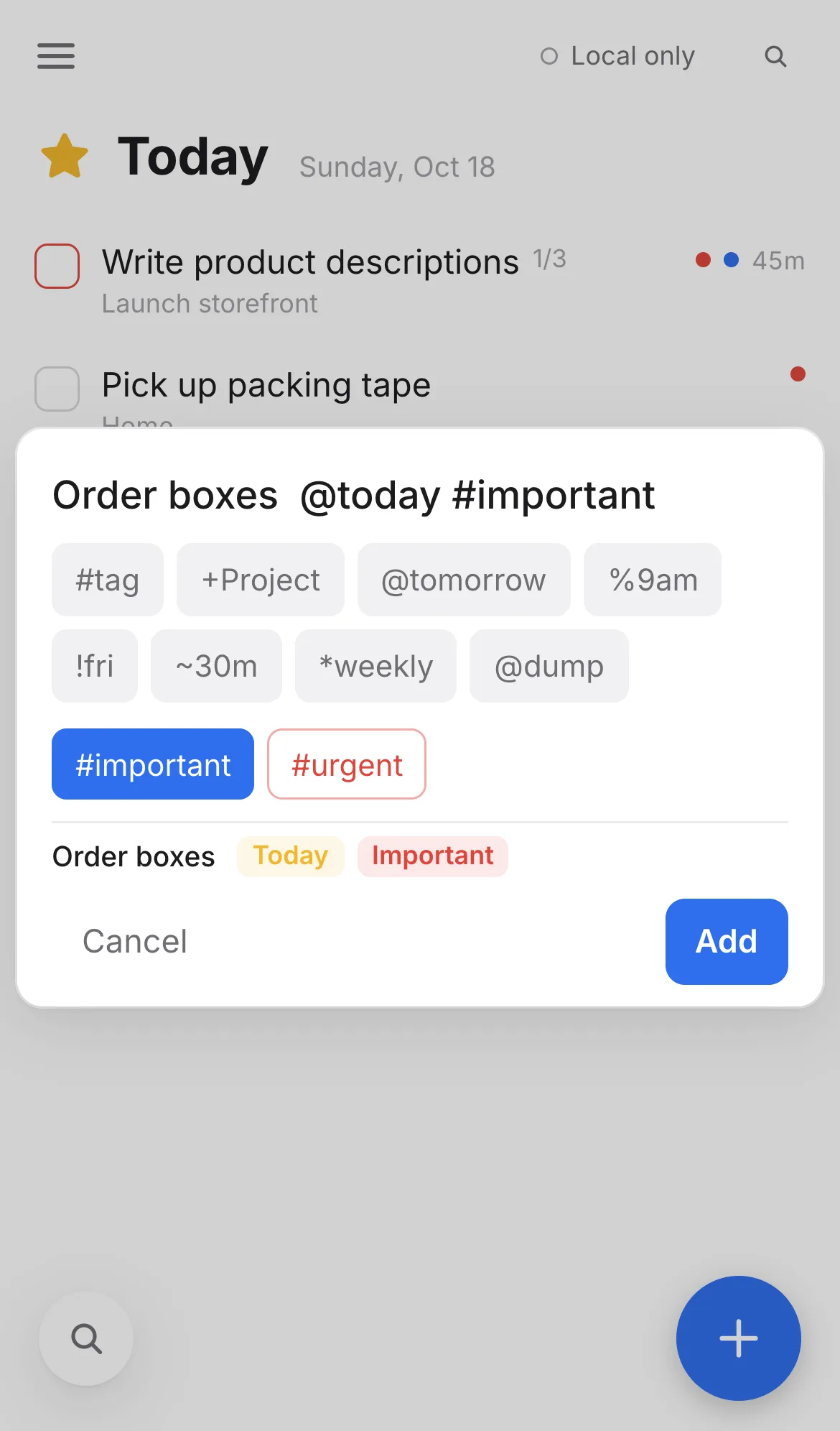
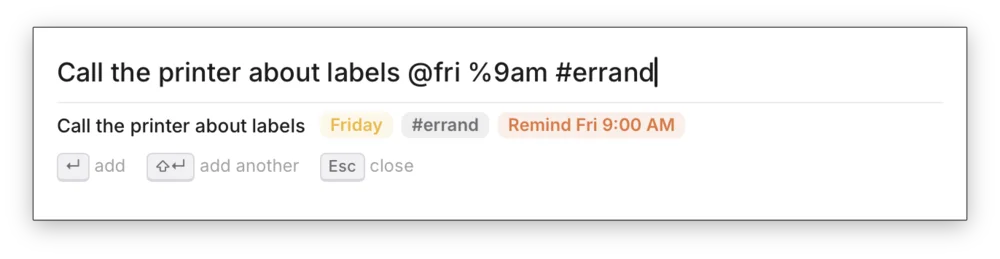
Press Q from any screen and write the whole thing in one line. Short prefixes set the project, date, reminder, deadline, estimate and tags as you type.
+Project @fri %9am !next-week ~2h #shop *weekly
Brain dump
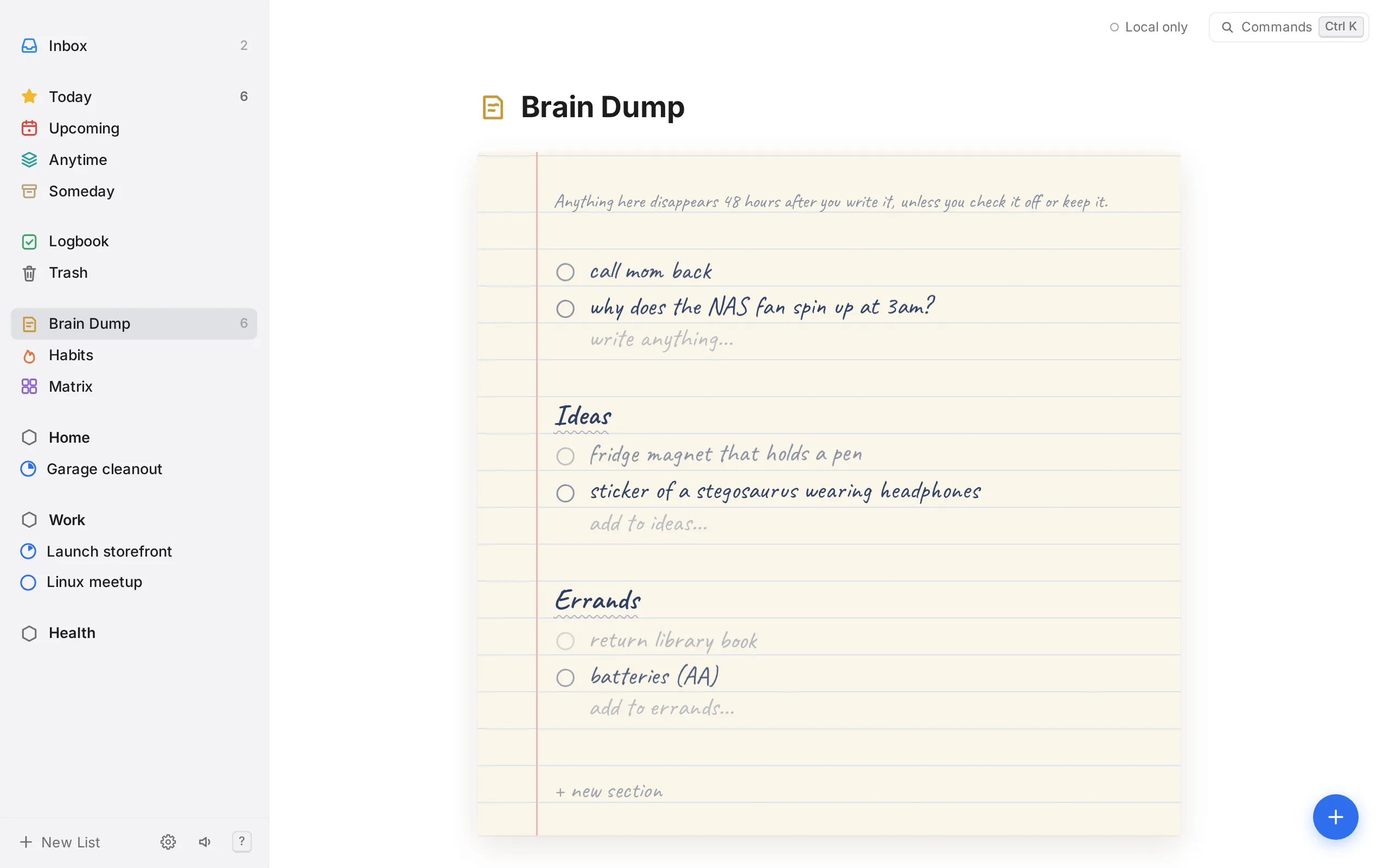
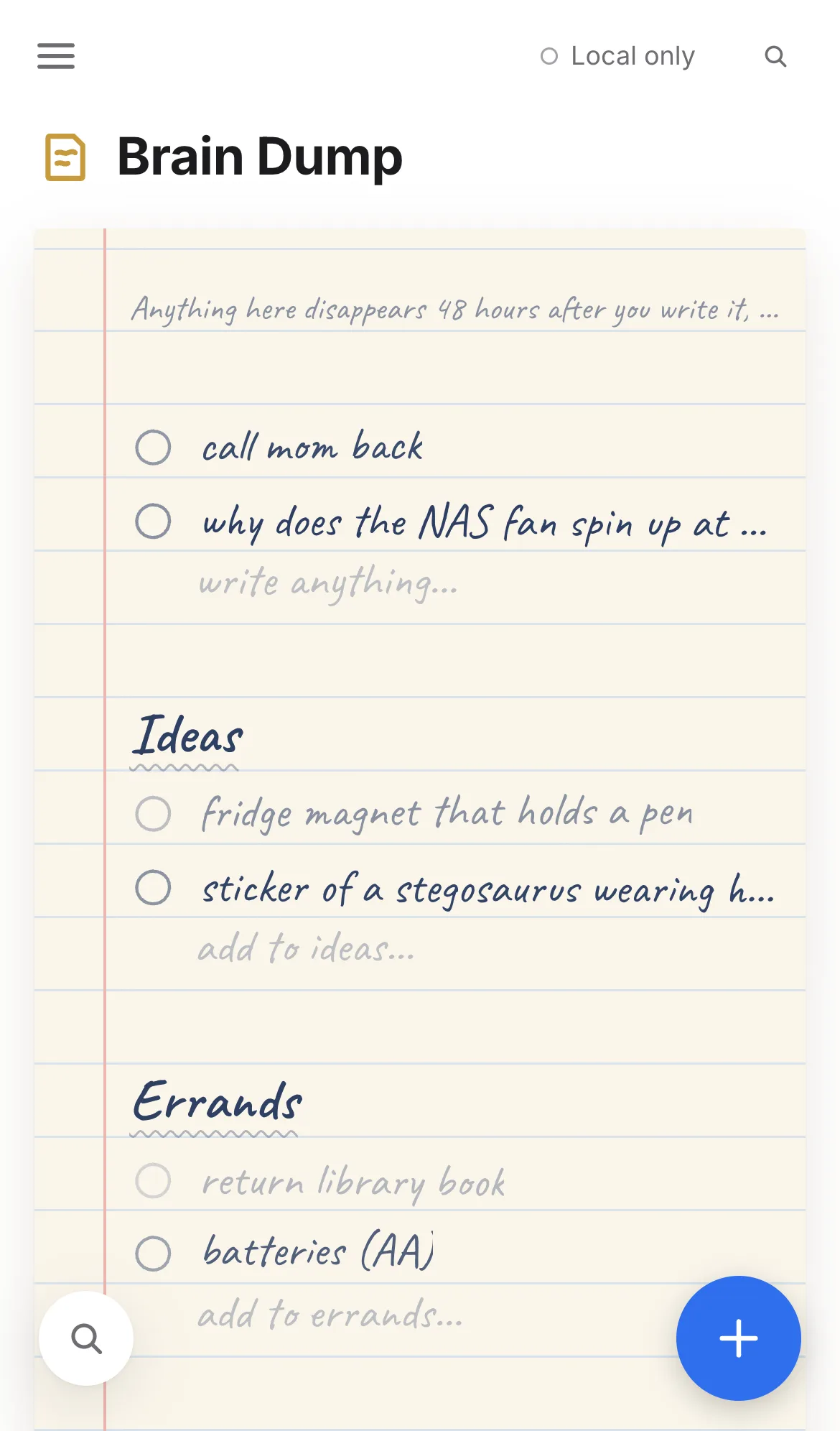
Get the noise out of your head onto something that looks and feels like paper. Each line fades over two days and then disappears, unless you check it off or keep it by moving it to a real list.
Focus
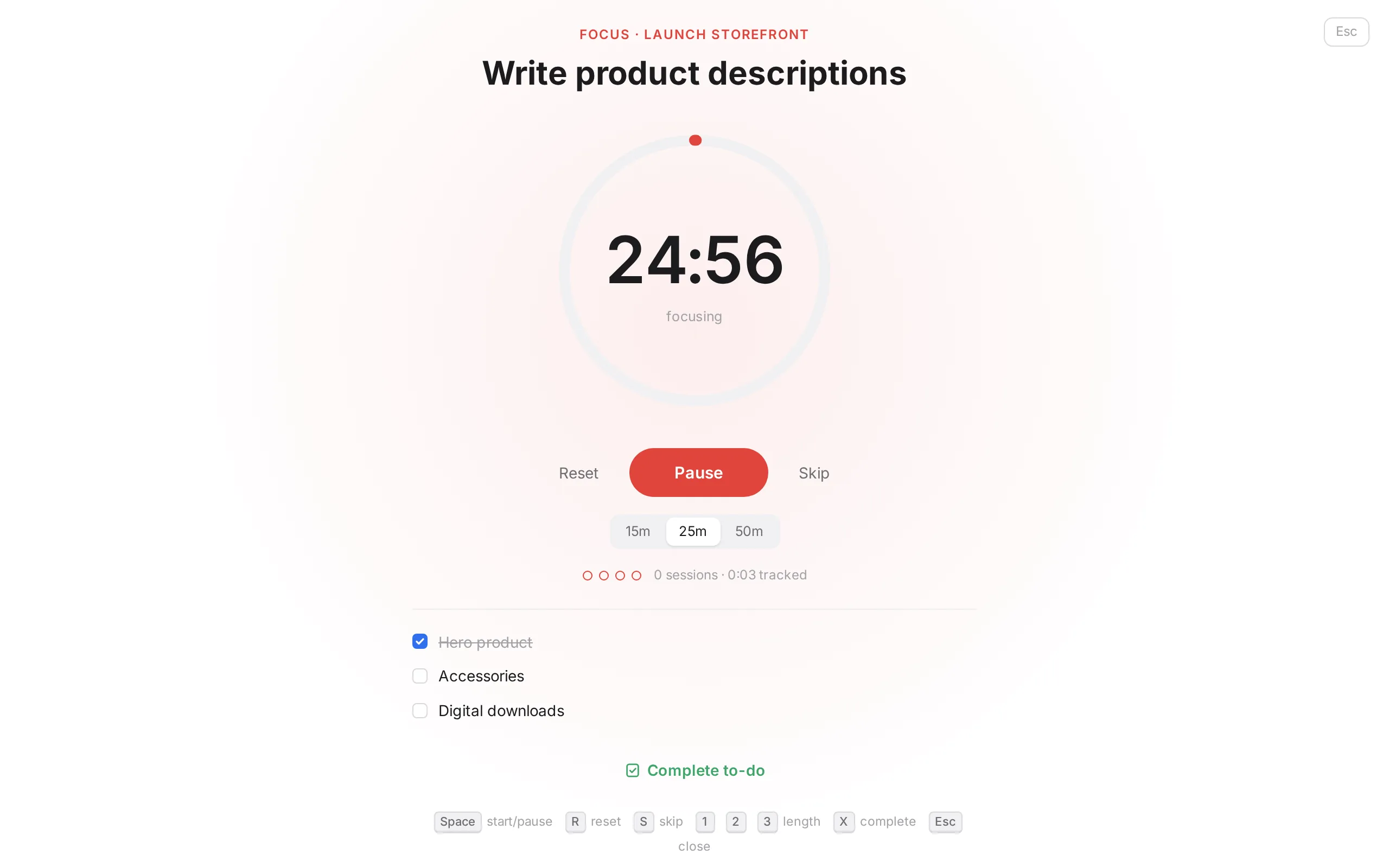
Select a to-do and press F. Everything else steps back: a Pomodoro ring, the to-do's checklist, and a gentle bell when it's time for a break. Time spent is tracked automatically.
Habits
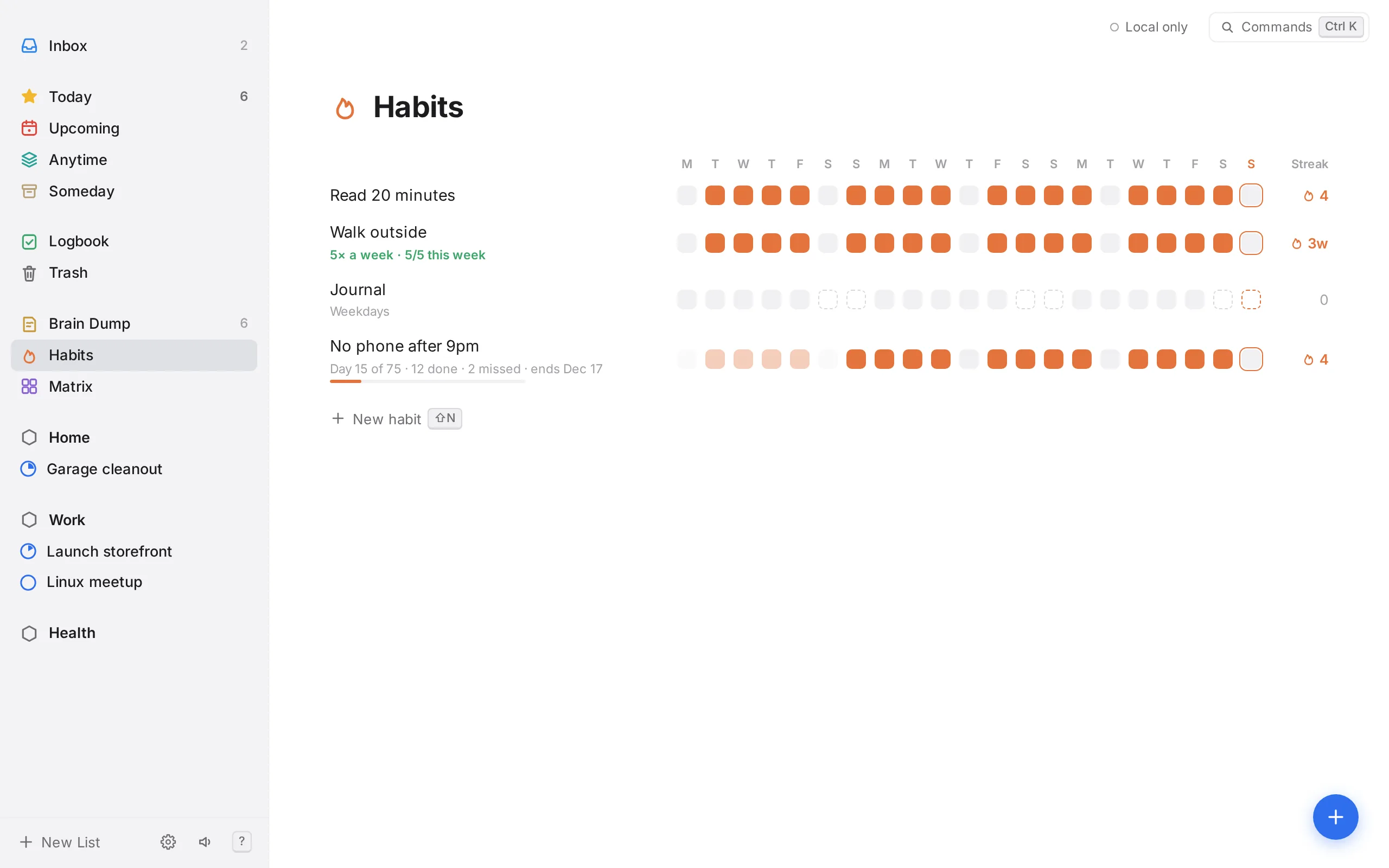
Every day, weekdays, or five times a week on whichever days work. Streaks follow the schedule you set. Turn any habit into a 30, 60 or 75-day challenge with a clear finish line.
Prioritize
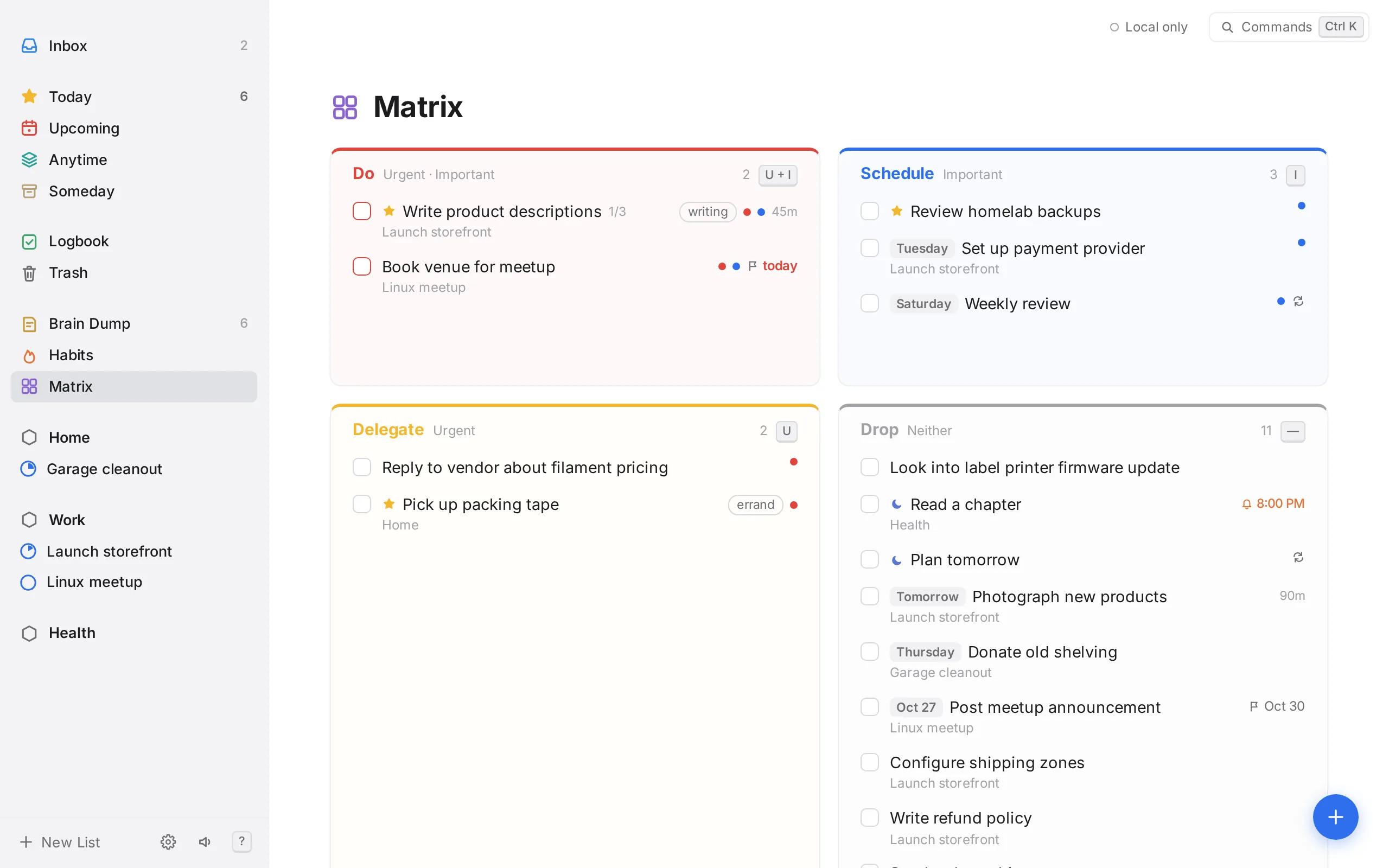
Flag to-dos urgent or important and the matrix sorts them into do, schedule, delegate and drop: a quick check that you're spending the day on the right things.
Connect
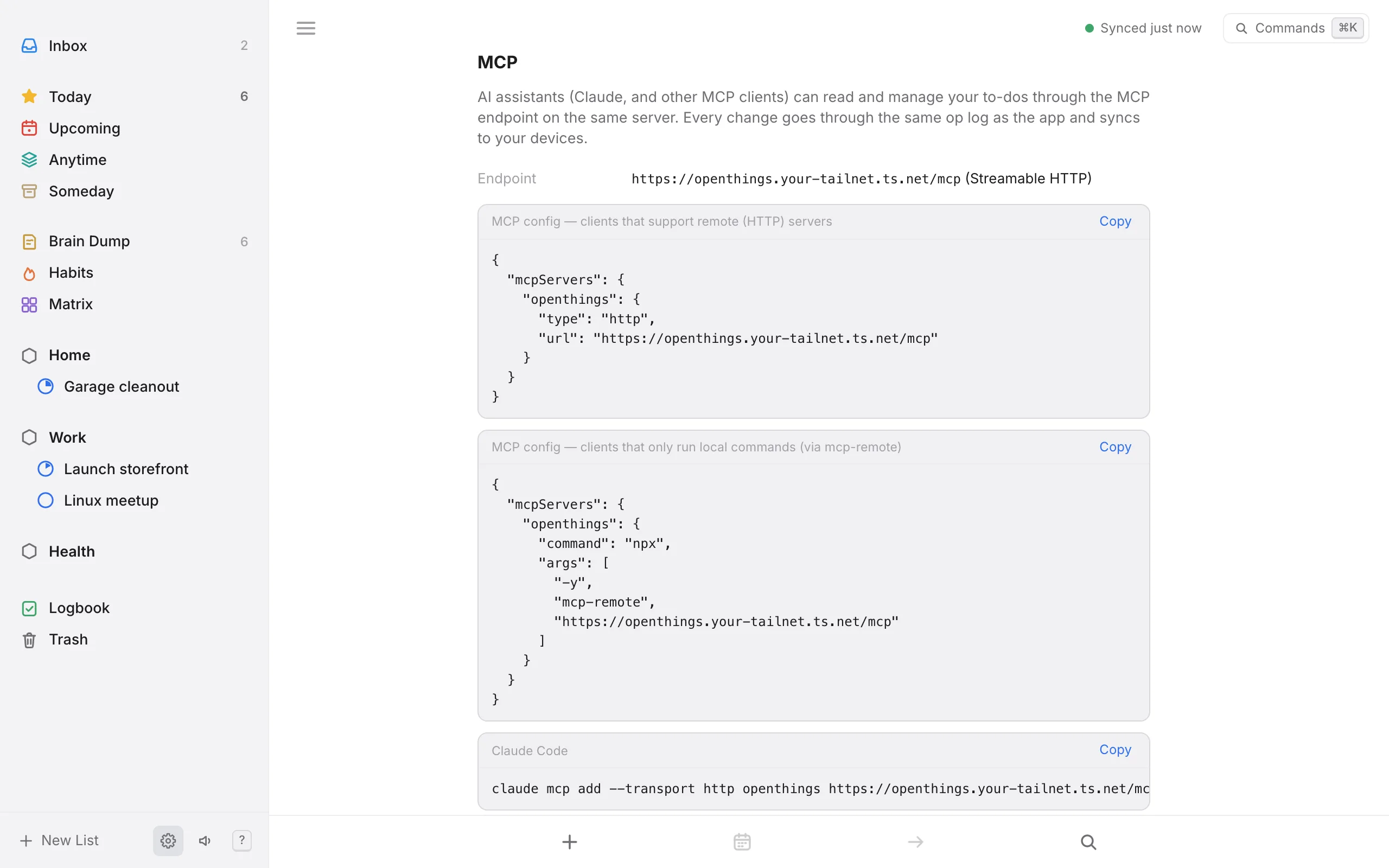
Your server keeps your phone, laptop and browsers in sync. Each one holds a full copy and works offline; changes merge field by field when it reconnects. The same server has a REST API for scripts and Home Assistant, and an MCP endpoint so Claude and other AI assistants can read your lists and add, move or check off to-dos.
iPhone
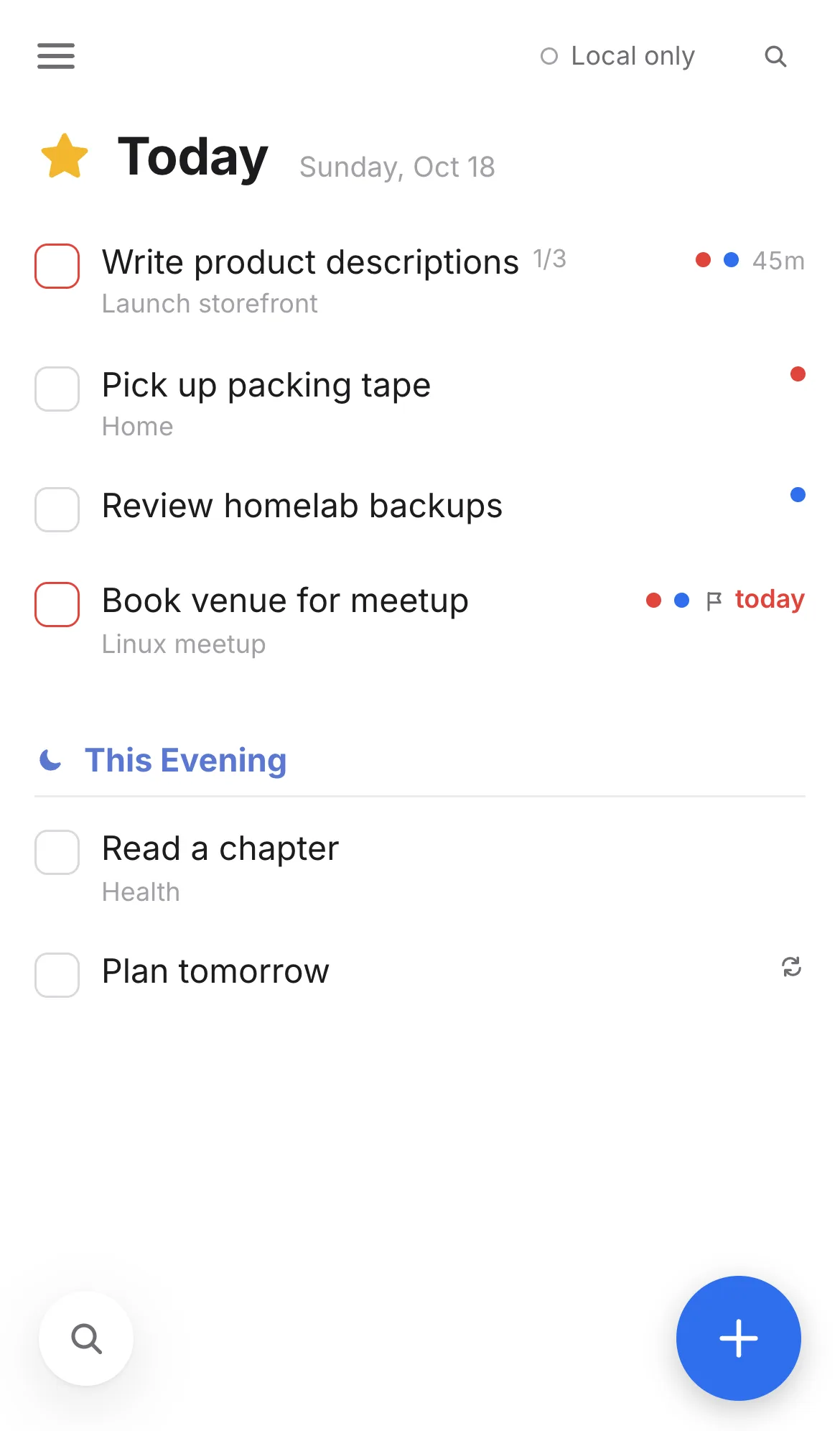
The same app on iPhone, with reminders that arrive when it's closed, Home and Lock Screen widgets, a Share Sheet to the Inbox or Brain Dump, and Shortcuts. Add with the big blue button, swipe right for your lists, and pull down to find anything. To sync, scan the QR code from Settings on your computer.
Not on the App Store yet. You build it with Xcode on a Mac.
Mac & Linux
The desktop app for macOS and Arch Linux (Omarchy / Hyprland) adds a global shortcut, ⌃⌥Space, that opens a small quick-add window over whatever you're doing. It keeps running in the menu bar, so reminders arrive as native notifications with the window closed. It also brings a real menu bar, launch at login, openthings:// links, and Things 3 import on the Mac.
brew tap spuder/openthings
brew trust spuder/openthings
brew install --cask openthings
One universal build for Apple silicon and Intel Macs, signed and notarized by Apple. Linux preview builds come from GitHub Actions (sign in to download).

Notifications with a chime at the time you pick: %6pm, %in30m, or from the picker.
Every action has a shortcut, plus a command palette on Ctrl/⌘ K and a cheat sheet on ?.
Soft bell chimes for completing, checking a habit and finishing a focus session. One key to mute.
Deleted to-dos wait 30 days before they're gone, so mistakes are easy to undo.
Follows your system, or pick one. Comfortable either way.
Big touch targets, swipe for your lists, pull down to search, and the keyboard never hides what you're typing. In the browser or as an iPhone app.
Self-hosted
Pull the image and start it. With DockTail on the host, it appears on your tailnet over HTTPS with no ports to open. Images are built for amd64 and arm64.
Set OPENTHINGS_PUBLIC_URL to the address your devices use, such as https://openthings.<tailnet>.ts.net. The web app fills it in for you, and your computer shows it as a QR code that the iPhone app scans to connect.
Local-first by design: every change is stored on your device in SQLite and recorded in a change log, which the container syncs between your devices. It also serves a REST API and MCP endpoint.
services:
  openthings:
    image: ghcr.io/spuder/openthings:latest
    restart: unless-stopped
    environment:
      TZ: America/Denver
      # the address your devices use
      OPENTHINGS_PUBLIC_URL: https://openthings.example.ts.net
    volumes:
      - openthings-data:/data
    labels:
      - "docktail.service.enable=true"
      - "docktail.service.name=openthings"
      - "docktail.service.port=8080"
      - "docktail.service.service-port=443"

volumes:
  openthings-data:
docker compose up -dOpenThings is a working proof of concept. These are being built in the open.
Notifications pushed by your server, so they arrive in the browser even with the app closed. Plus device tokens for the API.
Drag to-dos onto your day and sync blocks to any CalDAV calendar.
The iPhone app runs today; App Store next. Android is coming and needs testers.
The Mac and Arch Linux app works today; the AUR is next.

No sign-up. Your data stays in your browser until you connect your own server.